
Quick Answer: AI Voiceovers for YouTube — What Actually Works
Yes — you can build a faceless YouTube channel on AI voiceovers, and thousands of creators already do, from viral Shorts to long-form documentaries. The voice part is easy: generate free, royalty-free MP3 narration on TextToSpeechH AI (no sign-up, no credit card) and drop it into CapCut or Premiere. The catch most guides skip: the voice is about 10% of the work. YouTube doesn't reject channels for using AI voices — it rejects them for uploading low-effort, repetitive videos that add nothing. This guide covers the full workflow honestly: which voices fit which niches, where AI narration genuinely falls flat, and what monetization review actually looks at (with the caveat that policies evolve — always check the current rules before you bet a channel on them).

1. What Is a Faceless YouTube Channel, Really?
A faceless YouTube channel is exactly what it sounds like: you never appear on camera. Instead you combine stock b-roll, screen recordings, motion graphics, and a voiceover — increasingly a neural AI voiceover — into finished videos. Tech explainers, true crime documentaries, finance news, history deep-dives, top-10 lists, viral Shorts: the faceless format shows up everywhere because it removes the two things that stop most people from starting — a camera and their own voice.
Here's the part worth saying plainly. "Faceless" does not mean "effortless." The channels that survive are the ones where you can't tell nobody filmed anything — tight scripts, deliberate pacing, editing that respects the viewer's time. The ones that die are slideshow channels: ten stock photos, a monotone voice reading Wikipedia, uploaded daily until YouTube's review team or the algorithm puts them out of their misery. The voice generator is a tool, not a business model.
If you want to try it, the tooling is free: test voices on our Voice Generator or start with our Online Text to Speech Guide. Generating the audio takes minutes. Everything in this guide is about the other 90%.
2. Monetization & AI Voices: The Honest Version
The question every new creator asks: will YouTube demonetize me for using an AI voice? As of this writing, there is no YouTube rule that says "AI narration = no ads." What YouTube's Partner Program review does look for is whether your videos are original, add value, and aren't just mass-produced filler. Channels get rejected under policies around reused or repetitious content — think hundreds of near-identical videos with a voice reading scraped articles over unedited stock clips. The voice being synthetic isn't the trigger; the video being low-effort is.
That said, be honest with yourself about two things. First, policies evolve, and YouTube has been tightening its stance on low-quality automated content over time. Anything you read here — or anywhere — about today's rules should be re-checked against YouTube's current Partner Program policies before you build a business on it. Second, passing review once isn't a lifetime pass: channels get re-reviewed, and a library full of thin videos is a liability that compounds.
The Practical Takeaway
Treat the AI voice as a narrator you hired, not a loophole. Pair it with original scripts you actually wrote, deliberate visual editing, and sound design that shows a human made decisions. That combination passes review as reliably as anything does — because reviewers are judging the video, not the voice.
3. Scriptwriting: Winning the First 3 Seconds
On Shorts, TikTok, and Reels, most viewers decide in about three seconds. Your script has to earn the fourth second before anything else matters — voice, editing, all of it. Three techniques that actually move the needle:
- Open with the payoff, not the preamble. "This 2,000-year-old trick still fools your brain" beats "Welcome back to my channel" every single time. Cut greetings, cut throat-clearing, start mid-story.
- Write pauses into the script. Commas, periods, and ellipses make the AI voice breathe between lines. A hook read as one unbroken sentence sounds like a robot; the same words with punctuation sound like a narrator. Write like you talk.
- Speed up for short-form. A
+10%to+15%rate on TextToSpeechH AI matches the energy of fast-cut Shorts editing. Long-form documentaries can stay at normal speed — Shorts should feel like they're in a hurry.
One more thing nobody tells beginners: read your script out loud before generating. If you stumble reading it, the AI will stumble too — synthetic voices inherit your sentence structure, including the bad parts.
4. Which Voice for Which Niche (US, UK & Hindi)
Voice choice matters less than the script and more than most creators think. A mismatch — a chirpy voice narrating a murder documentary — breaks immersion instantly. Here are the workhorses on TextToSpeechH AI, with honest notes on where each one fits:
Jenny (US Female)
en-US-JennyNeural — Clear, energetic, the default pick for viral Shorts, tech explainers, and list videos. If you're unsure, start here.
Guy (US Male)
en-US-GuyNeural — Deep and authoritative. The obvious fit for true crime, history, and finance — genres where gravitas does half the work.
Sonia (UK Female)
en-GB-SoniaNeural — British accent that suits luxury, travel, and literature channels. A different flavor that helps you stand out in a sea of US voices.
Swara & Madhur (Hindi)
hi-IN-SwaraNeural & hi-IN-MadhurNeural — Natural Hindi narration for the Indian audience. Huge underserved market; don't sleep on it.
And the caveat: AI voices underperform where human performance is the content — comedy (timing is everything and synthetic timing is never quite right), emotional storytelling, and opinion channels where your personality is the product. If your niche runs on charisma, no voice model saves you. Pick the niche for the voice, not the other way around.
5. The Editing Workflow: MP3 to Finished Video
This is the unglamorous part that decides whether your channel looks professional. The good news: it's a simple pipeline, and free tools cover all of it.
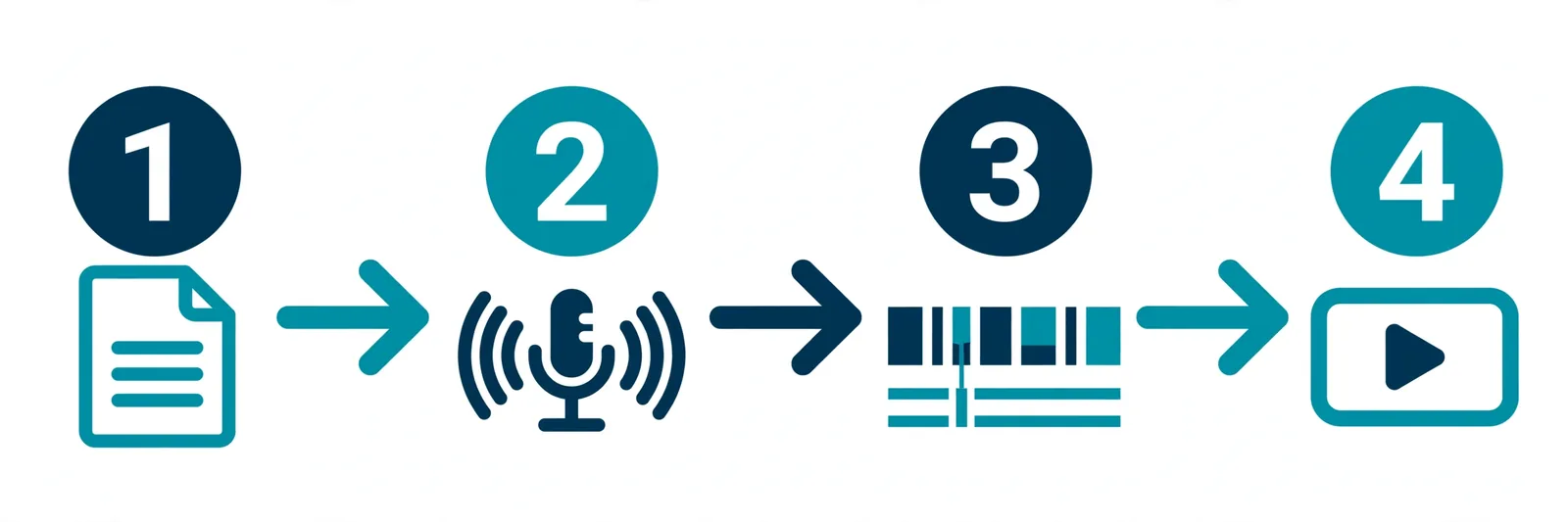
- Generate and download. Paste your finished script into Free Text to Speech, pick your voice and speed, and hit "Download MP3." Generate paragraph by paragraph for long videos — it's easier to re-do one paragraph than a whole ten-minute file.
- Import to your timeline. Drag the MP3 into CapCut, Premiere Pro, or DaVinci Resolve. Cut the audio into paragraph blocks and align each block with its visual section — this one habit fixes most "the voiceover feels off" problems.
- Add captions. CapCut and Premiere both auto-generate captions now. Word-by-word animated captions are the current standard on Shorts — viewers watch muted more than you'd think, and captions keep them watching unmuted too.
- Mix the music under the voice. Keep background music around -20dB below the voiceover. If a viewer has to strain to hear the narration, you've already lost them — music is seasoning, not the meal.
6. Faceless Niches Worth Considering (and Their Catches)
Not all niches are equal, and the honest ones come with trade-offs. Here's a realistic read on the popular picks:
- Tech tutorials & software explainers: Strong advertiser demand, and screen recordings give you genuinely original visuals. The catch: you need to actually know the software — viewers spot a script-reader in seconds.
- Finance & market news: High-value audience, daily upload potential. The catch: get a fact wrong and the comments will end you. This niche punishes sloppiness harder than any other.
- History & true crime documentaries: Long-form, loyal audiences, great for watch time. The catch: research is real work, and YouTube is stricter about violent or graphic content — know the advertiser-friendliness lines.
- Top-10 and "interesting facts" lists: Viral potential, simple production. The catch: it's the most saturated faceless niche on the platform. You need a genuine angle, not the same 50 facts everyone else uses.
- Language learning: Evergreen demand, international audience. The catch: pronunciation has to be right, which means proof-listening every generation instead of trusting the model.
You'll notice nobody can promise you "high revenue" — CPMs swing wildly by niche, season, and audience country. Pick the niche you can sustain for a year without hating it. Consistency beats cleverness.
7. Audio Post-Processing That Actually Matters
You don't need an audio engineering degree. Two things separate amateur-sounding voiceovers from clean ones. First, loudness: normalize your final mix to around -14 LUFS with true peak at -1.0 dB — the widely used target for YouTube, so your video doesn't blast or whisper compared to everything else in the feed. Second, light compression: it evens out the difference between quiet lines and energetic hooks so the volume feels consistent. Most editors (even CapCut) have a one-click normalize or a simple compressor preset. That's genuinely most of it — don't let audio forums convince you it needs to be more complicated.
8. Multi-Language Dubbing: Worth It or a Distraction?
YouTube supports multiple audio tracks on a single video, which means one video can serve English, Spanish, French, and German audiences. In theory, that's a bigger audience for the same editing work. In practice: don't start here. Dubbing multiplies your workload — translation, regeneration, proof-listening in languages you may not speak — and a bad dub is worse than no dub. Get ten videos performing in one language first. Then dub your winners: translate the script, generate with a native voice like es-ES-ElviraNeural for Spanish, fr-FR-DeniseNeural for French, or de-DE-KatjaNeural for German, and upload the alternate track. Expansion, not starting strategy.
9. AI Voiceovers: Real Pros and Real Cons
Genuine Advantages
- No microphone, no treated room, no recording anxiety. Your "studio" is a browser tab.
- Re-recording is free. Flubbed a line at 11pm? Regenerate one paragraph instead of re-recording a whole video.
- Consistent voice across hundreds of videos — your channel always sounds like your channel.
- MP3s from TextToSpeechH AI are free to download and cleared for commercial use.
Honest Disadvantages
- Flat delivery on emotional or comedic material — timing and feeling are still human territory.
- Mispronounced names, brands, and niche terms. Proof-listen everything; the model will confidently butcher "quinoa."
- Zero built-in personality. If your niche runs on charisma, a synthetic voice is a handicap, not a shortcut.
- Temptation to mass-produce. The ease of generation is exactly what leads to the thin, repetitive libraries that fail monetization review.
10. Retention Habits of Creators Who Last
Retention is the whole game on YouTube — the algorithm promotes what people finish. The creators who last do a few unglamorous things consistently:
- Caption everything, word by word. Animated captions aren't decoration anymore; they're expected. They hold attention on mute and reinforce it with sound on.
- Cut dead air ruthlessly. If a sentence doesn't earn its place, delete it before generating. Short sentences (10–15 words) cut faster and hold pace better.
- Sound-design the transitions. A subtle whoosh or pop under a visual cut makes an AI voiceover feel produced rather than pasted on. Small effort, disproportionate payoff.
- One idea per video. Faceless channels die from rambling, not from bad audio. If your script tries to say three things, make three videos.
11. Mistakes That Kill Channels (Policy and Otherwise)
- The slideshow trap. Static images + raw voiceover + zero editing is the single fastest route to a reused-content rejection. If your "editing" is crossfades between stock photos, you're not editing.
- Music louder than the voice. Viewers forgive a lot; they don't forgive straining to hear. Keep music well under the narration or cut it entirely.
- Publishing volume instead of videos. Thirty thin uploads don't beat five good ones. The algorithm and the review team both notice when a channel is a content mill.
- Ignoring the comments. Early comments tell you exactly what's wrong — pacing, pronunciation, topics. Creators who read them improve ten times faster than creators who don't.
12. Fixing Audio Sync and Pacing Problems
Two problems account for most "something feels off" complaints, and both have boring, reliable fixes:
- Voiceover drifts out of sync with the visuals. Don't fight one long audio file. Split the MP3 into paragraph-sized blocks on your timeline and nudge each block to its visual section. Five minutes of alignment work, problem gone.
- The narration feels sluggish for Shorts. Bump the generation speed to
+15%on TextToSpeechH AI and regenerate. Don't try to time-stretch slow audio in your editor — speeding up the generation sounds natural; stretching recorded-slow audio sounds like a chipmunk. - Weird pauses or robotic emphasis. That's your punctuation, not the voice. Rewrite the sentence with the pauses you want — commas where you'd breathe, periods where you'd stop — and regenerate. The model reads what you wrote, literally.
13. What the Data Actually Tells Us
Strip away the guru talk and the pattern across successful faceless channels is stubbornly consistent: the voice is rarely the differentiator. What separates channels that get monetized and grow from the ones that stall is script quality and editing effort — the two things no tool does for you. AI narration removed the cost and friction of voiceovers, which is genuinely liberating, but it also removed the excuse. When everyone can generate clean audio for free, "clean audio" stops being an advantage. Your edge is everything around the voice: the hook, the research, the cuts, the taste. That's the honest math of this whole format.
14. Your Launch Checklist
5-Step Launch Checklist
- Pick a niche you can sustain — tech, finance, history, lists, or language learning. Not the trendiest one; the one you'll still care about in six months.
- Write a 60-second script with a real hook. Read it aloud. If you stumble, rewrite. No greetings, no throat-clearing.
- Generate the voiceover on TextToSpeechH AI —
en-US-JennyNeuralfor energetic narration,en-US-GuyNeuralfor documentaries. Speed+10–15%for Shorts. - Edit like a human made it. CapCut or Premiere: paragraph-aligned audio blocks, auto-captions, real b-roll, music mixed under the voice.
- Export at 1080p, normalize to about -14 LUFS, publish. Then read every comment on your first ten videos — that's your real analytics.
15. Summary: The Short Version
AI voiceovers make starting a faceless YouTube channel radically cheaper and faster — free generation, no mic, no studio, consistent narration across every video. But the voice was never the hard part. Channels get monetized and grow on original scripts, deliberate editing, and respect for the viewer's time; they get rejected when they're low-effort content mills, regardless of whose voice is reading. Generate your narration on TextToSpeechH AI, put the real work into everything around it, and check YouTube's current monetization policies before you scale — because the rules evolve and your channel shouldn't depend on yesterday's.
16. Frequently Asked Questions (20 Answers)
Q1: Can I monetize YouTube Shorts using AI voiceovers?
There's no rule against AI voices themselves. What matters is whether your videos are original and add value — real scripts, real editing. Thin, repetitive videos get rejected at monetization review no matter who's narrating. And since policies evolve, double-check YouTube's current Partner Program rules before you scale.
Q2: Are MP3 downloads from TextToSpeechH AI royalty free?
Yes — everything you generate on TextToSpeechH AI is free to download and cleared for commercial use, including monetized videos.
Q3: Which AI voice is best for YouTube Shorts?
en-US-JennyNeural is the safe default for energetic Shorts narration; en-US-GuyNeural if you want a deeper male voice. Honestly, generate 30 seconds with two or three candidates and trust your ears over any recommendation list.
Q4: How do I import generated MP3 files into CapCut?
Download the MP3 from Free Text to Speech and drag it straight into CapCut's audio timeline. No conversion needed.
Q5: What causes YouTube to flag videos as Reused Content?
Videos that add nothing original — unedited stock clips, static slideshows, scraped articles read aloud with no commentary or editing of your own. Original scripts plus genuine editing effort is what keeps you clear of it.
Q6: What speaking speed is best for YouTube Shorts?
+10% to +15% gives Shorts their characteristic urgency. Long-form documentaries are fine at normal speed — match the pace to the format.
Q7: Can I generate Hindi voiceovers for Indian YouTube channels?
Yes — hi-IN-SwaraNeural and hi-IN-MadhurNeural produce natural Hindi narration. It's one of the more underserved audiences on YouTube, which is an opportunity if you create for it.
Q8: Do I need a credit card to download MP3 voiceovers?
No. No credit card, no subscription, no sign-up — generation and MP3 downloads on TextToSpeechH AI are free.
Q9: What target loudness should I use for YouTube audio mixing?
Around -14 LUFS with true peak at -1.0 dB is the widely used target — it keeps your video sounding consistent with everything else in the feed. Most editors have a normalize preset that gets you there.
Q10: Which voice is best for true crime documentaries?
en-US-GuyNeural — the deeper register suits crime and history narration. But listen to a sample against your actual script first; voice fit is subjective.
Q11: Can I use AI voiceovers on TikTok and Instagram Reels?
Yes — the MP3s work in any editor, so the same narration drops into TikTok, Reels, and Shorts without any conversion.
Q12: How do I add natural pauses to my video script?
Write them in: commas for breaths, periods for full stops, ellipses for dramatic beats. The voice reads your punctuation literally, so punctuate like you'd speak.
Q13: Does TextToSpeechH AI support British English voiceovers?
Yes — en-GB-SoniaNeural and en-GB-RyanNeural give you authentic British accents, a nice way to stand out from the default US voices.
Q14: How can I translate my YouTube videos into Spanish?
Translate your script (properly — not machine-word-salad), then generate it with es-ES-ElviraNeural and upload it as an alternate audio track. Start with your best-performing videos, not your whole library.
Q15: Can I adjust pitch for comic character voices?
Yes, pitch controls let you shift voices up or down for character work. Keep it subtle, though — extreme pitch shifts sound gimmicky fast, and comedy timing is already the hardest thing for synthetic voices.
Q16: How do I prevent background music from drowning out the voice?
Mix the music roughly -20dB below the voiceover. If you have to think about whether the voice is clear enough, it isn't — turn the music down.
Q17: Is there a daily limit on free video voiceovers?
No — free web generation on TextToSpeechH AI is unlimited, so regenerate as many takes as your perfectionism demands.
Q18: What is a faceless YouTube channel?
A channel where the creator never appears on camera — b-roll, screen recordings, graphics, and voiceover (increasingly AI) do all the work. Faceless describes the format, not the effort level.
Q19: What file format is generated by TextToSpeechH AI?
High-bitrate MP3 — drops straight into CapCut, Premiere, DaVinci Resolve, or any editor without conversion.
Q20: How do I navigate to the main voice generator tool?
Head to the TextToSpeechH AI Voice Generator — paste text, pick a voice, download the MP3.
Related Guides
- TikTok Text to Speech: Free AI Voiceovers Guide
- AI Video Dubbing: Dub Videos Into Any Language
- Add AI Voiceover to PowerPoint: Free Guide
- Suno Speech Review: AI Voiceovers With Music
- Best AI Voice Generators With Free Plans (2026)
- Text to Speech for Podcast: Free Tools Guide
- ElevenLabs v4: Try Expressive AI Voices Free
Sources & References
- W3C Web Accessibility Initiative — "Audio Content & Video Content" text-to-speech guidance: www.w3.org/WAI/media/av/av-content/
- Wikipedia — Speech Synthesis & Speech Recognition: en.wikipedia.org/wiki/Speech_synthesis
- van den Oord et al. — WaveNet: A Generative Model for Raw Audio: arxiv.org/abs/1609.03499
- Shen et al. — Natural TTS Synthesis by Conditioning WaveNet on Mel Spectrogram Predictions (Tacotron 2): arxiv.org/abs/1712.05884
- Google — Neural Text-to-Speech & AI Overview documentation: cloud.google.com/text-to-speech