
Quick Answer: How Does Text-to-Speech Actually Work?
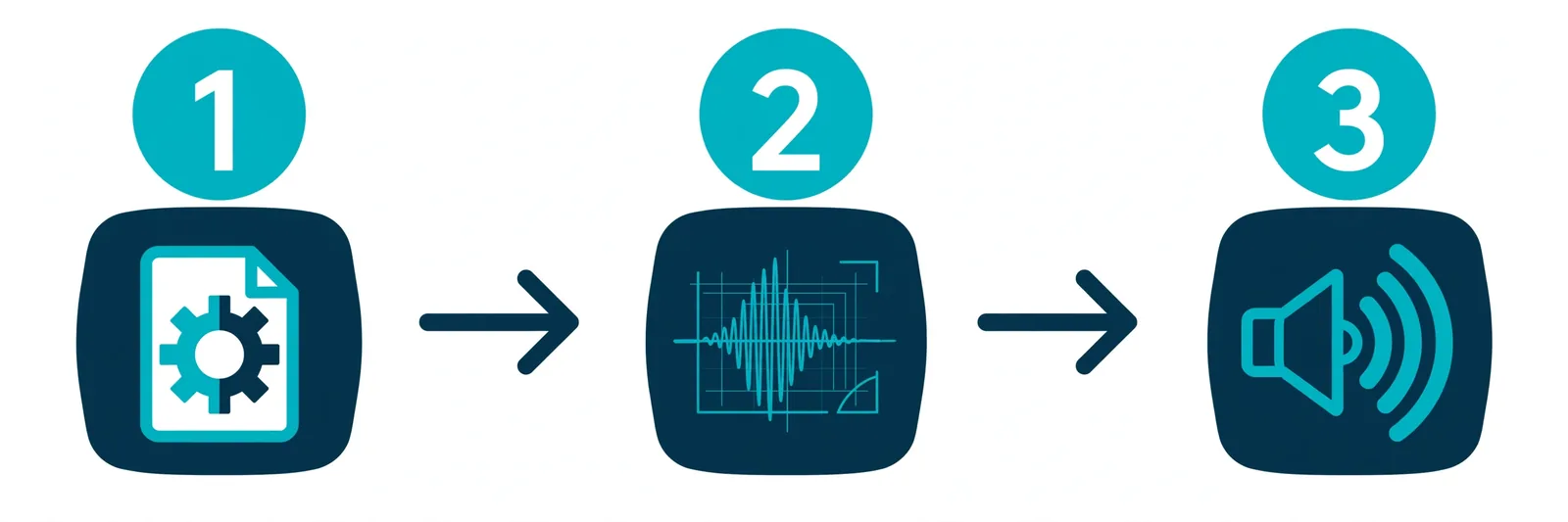
When you hit "generate," your text goes through three jobs before it becomes sound. First, the front-end cleans your text up — expanding "$45.50" into "forty-five dollars and fifty cents" and figuring out how each word should sound (that's G2P). Second, a neural acoustic model (think Tacotron 2, FastSpeech 2, or VITS) draws a sound blueprint called a mel-spectrogram — basically a picture of how the speech should sound. Third, a neural vocoder like HiFi-GAN turns that blueprint into actual audio waveforms — the sound waves your speakers play. Text in, human-sounding voice out. That's the whole magic.
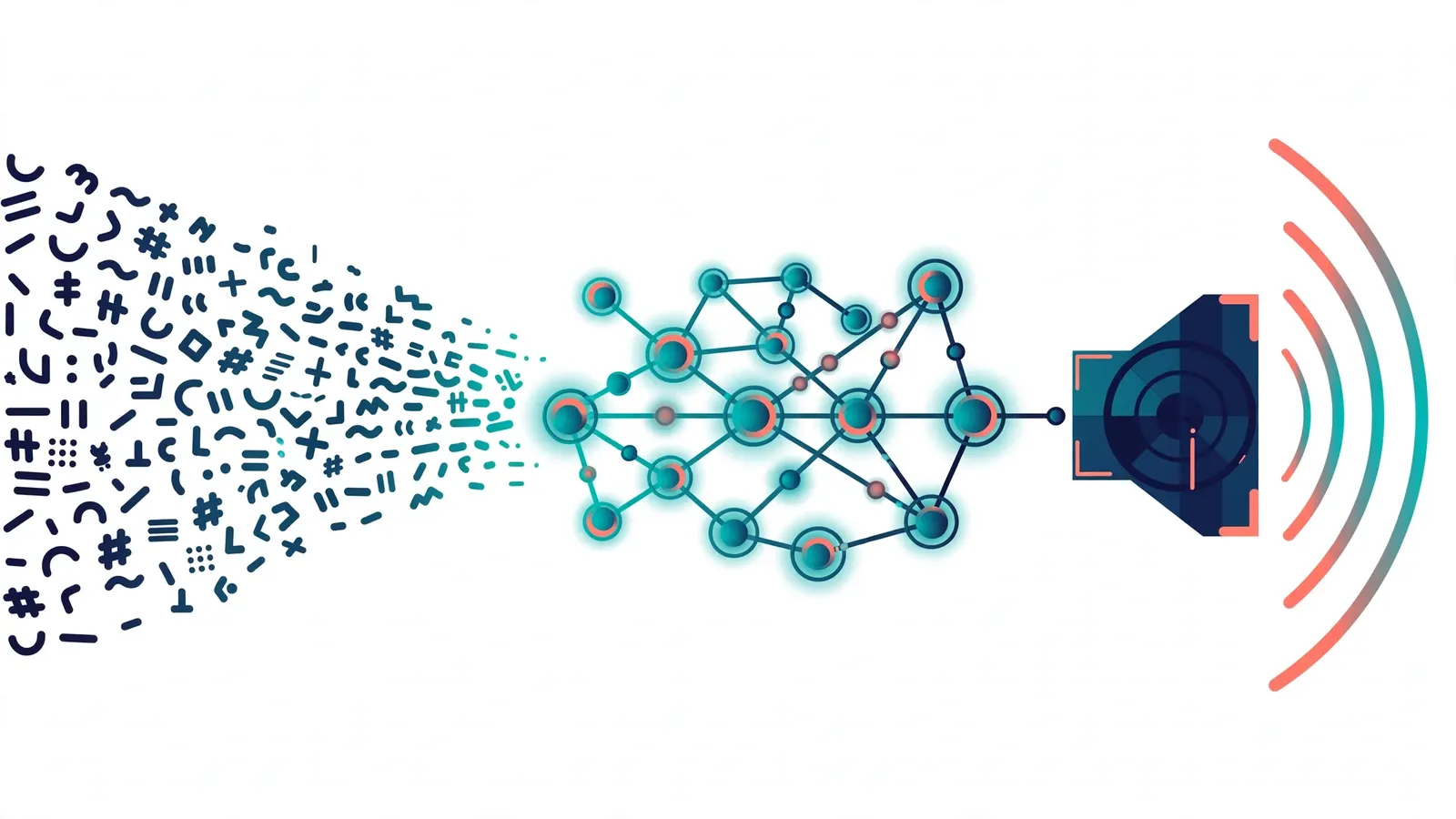
1. What Is Text-to-Speech, Really?
Text-to-Speech (TTS) is exactly what it sounds like: you feed it written text, it gives you back spoken audio — a voice reading your words out loud. Under the hood, it's converting plain text into a clean stream of digital audio (usually at 24kHz or 48kHz quality).
Here's what modern neural TTS is really trying to nail: intelligibility (you can actually understand every word) and naturalness (it doesn't sound like a robot — it has pitch, pauses, emphasis, the stuff human speech has). The naturalness part is where things got dramatically better in recent years, and it's why voices today can be genuinely hard to tell apart from a real narrator.
Want to hear what this sounds like right now instead of reading about it? Try the Online Text to Speech Generator — it's free, no signup — or read more about the tech behind it on AI Text to Speech.
2. How We Got Here: From Robot Voices to Neural TTS
If you're old enough to remember Stephen Hawking's voice or those old GPS voices that pronounced everything wrong, you've heard the early stuff. Speech synthesis has been through four generations over the last 50 years, and honestly, each one was a reaction to the previous one's failures:
- Formant Synthesis (1970s–1980s): Pure math — filters pretending to be a human vocal tract. Extremely fast, but famously robotic. This is the "classic robot voice" your grandparents remember.
- Concatenative Unit-Selection (1990s–2000s): Recorded thousands of tiny speech snippets from a real human, then stitched them together like audio LEGO. It could sound eerily human for a sentence — then you'd hear a click or a jump at a splice point and the illusion would break.
- HMM Statistical Synthesis (2000s–2010s): Used statistical models (Hidden Markov Models) to smooth things out. No more clicks, but the voices came out muffled and buzzy — like talking through a fan.
- Neural TTS (2018–present): Deep neural networks generate the whole thing from scratch — smooth, expressive, studio-quality speech. This is what you hear today, and yes, the jump in quality was enormous.
A quick note: when you see names like Tacotron 2, WaveNet, FastSpeech, VITS, or HiFi-GAN, those are the landmark open-source models that made the neural generation possible. TextToSpeechH AI wraps this kind of tech in a simple web interface so you can just type and listen — no PhD required.
3. Stage 1: The Linguistic Front-End (Your Text Gets a Cleanup)
Before any AI voice magic happens, the system has to make sense of your raw text — and raw text is messy. Think about it: how would you say "$45.50"? "45" as a year ("1945") versus "45" as a quantity? What about "read" — present or past tense? Humans handle this effortlessly. Computers need a whole stage for it. Here's what the linguistic front-end does with every piece of text you submit:
- Text Normalization: Numbers, dates, currency, and abbreviations get expanded into full spoken words. "$45.50" becomes "forty-five dollars and fifty cents." "Dr." becomes "doctor." It sounds boring. It is absolutely critical — skip this and your audio will be full of gibberish.
- Grapheme-to-Phoneme (G2P) Mapping: This converts letters into pronunciation tokens (IPA symbols — the alphabet linguists use). This is where "read" gets figured out: "I will read the book" (/riːd/) versus "I already read the book" (/rɛd/). Context matters, and good G2P models read the sentence before deciding.
- Prosody Annotation: Commas, periods, semicolons — the system drops little markers that tell the voice model where to pause, breathe, and shift intonation. This is half of what makes modern TTS sound natural instead of monotone.
4. Stage 2: The Acoustic Model Draws the Sound Blueprint
Now the system knows what to say and how the words sound — but not yet what the actual audio looks like. That's the acoustic model's job. It takes the sequence of pronunciation tokens and predicts a mel-spectrogram: a 2D image-like map that plots sound energy across frequencies, frame by frame, over time.
Why a spectrogram and not audio directly? Because it's easier for a neural network to predict a structured "blueprint" than raw waveforms. The mel scale also matches how human hearing works (we're more sensitive to small changes at low frequencies than high ones), so the model focuses its effort where your ears actually notice. Pitch contours, vocal tone, the character of the voice — all of it gets baked into this blueprint before a single sound wave exists.
5. Stage 3: The Neural Vocoder Turns the Blueprint Into Audio
The final stage takes that mel-spectrogram blueprint and converts it into actual sound — tens of thousands of audio samples per second (typically 24,000 to 48,000). The component that does this is called a neural vocoder.
The most famous modern approach uses HiFi-GAN, a type of generative adversarial network. "Adversarial" sounds dramatic, but the idea is simple: one part of the network generates audio while another part critiques it against real human speech. The result? Clean audio without the static hiss, metallic drone, or underwater quality that plagued older vocoders. This stage is genuinely why today's TTS sounds so good — it's the difference between a sketch and a finished painting.
6. The Open-Source Models That Changed Everything
You don't need to memorize these, but if you ever wonder "why did TTS suddenly get good around 2018?", these are the models responsible:
- Tacotron 2 (Google): The breakthrough that proved a neural network could go from plain text straight to a high-quality mel-spectrogram. A lot of everything after it is built on this idea.
- VITS: Took the acoustic model and the vocoder and fused them into one end-to-end network — fewer moving parts, better quality, faster. Clever engineering.
- Kokoro-82M: A lightweight open-source model that delivers surprisingly good quality for its tiny size. Great for anyone who wants to run TTS without a monster GPU.
The point: this stuff isn't locked inside big tech labs. The core research is open, which is why so many free and affordable TTS tools — including this site — exist today.
7. Under the Hood: How TextToSpeechH Handles Your Request
Enough theory — let's talk about what actually happens when you paste text into TextToSpeechH AI and hit generate. The backend is a multi-layer Node.js setup, and we've verified the moving parts right from the codebase:
The Backend Components, Honestly Explained
- Voice Selection Endpoint (
/api/voices): Lists 14 neural voices across English, Hindi, Urdu, Spanish, French, German, Arabic, and Japanese. This is what populates the voice dropdown you see. - Async Job Queue (
queueService.js): Your request doesn't block anything — it goes into a queue, with temp data stashed in/tmp/tts_jobs. This is what keeps the site responsive even when lots of people generate at once. - Audio Pipeline (
audioPipeline.js): Long text gets synthesized in chunks, and this is the part that stitches the MP3 pieces together, normalizes the volume levels, and hands you a single clean file. Get this wrong and you'd hear pops between chunks — which you don't. - Document Parser (
documentParser.js): Upload a PDF, DOCX, or TXT and it extracts the text so it can be voiced. See the PDF to Speech Tool in action.
8. Follow Your Text: From Keyboard to MP3
Let's trace exactly what happens, step by step, when you type something and click generate on Free Text to Speech:
- You type your script and pick a voice (say,
en-US-GuyNeural), then hit generate. - The frontend sends a payload — your text, the voice ID, speed, and pitch settings — to
/api/generate. - The request joins the queue (
queueService.js), so the site stays snappy for everyone. - A synthesis worker does the three-stage pipeline (text cleanup → spectrogram → vocoder), and
audioPipeline.jsmerges everything into one MP3 stream. - You get your download link. Play it, download it, use it — that's it.
9. Where Neural TTS Actually Shows Up in Real Life
This isn't just cool tech for its own sake — neural TTS is quietly everywhere:
- Accessibility: Screen readers and read-aloud tools let visually impaired users consume text as smooth, low-fatigue audio. Try Read Aloud to feel how different good TTS is from the old robotic kind.
- Content creation: Faceless YouTube channels, Shorts, documentary voiceovers — a huge share of narration on the internet right now is AI-generated. See our YouTube AI Voiceover Guide for the full workflow.
- Publishing: Bloggers convert articles into downloadable MP3 "episodes," turning written content into podcast-style listening without recording a thing.
10. Code Example: What a Real TTS Request Looks Like
If you're a developer wondering "what do I actually send to the API?" — this is it. A simple JSON payload with your text, your chosen voice, and optional speed/pitch tweaks:
// Example Payload sent to TextToSpeechH AI Endpoint
{
"text": "Welcome to TextToSpeechH AI.",
"voice": "en-US-JennyNeural",
"rate": "+0%",
"pitch": "+0Hz"
}
That's genuinely all it takes. The heavy lifting — the three-stage neural pipeline we just walked through — happens on the server side. Your code just says "read this text, in this voice, like this," and the audio comes back.
11. The Honest Trade-Offs: What Neural TTS Is Good (and Bad) At
Let's be straight about this. Neural TTS is impressive, but it's not magic, and it's not free of problems:
What's Great
- Voices with natural pitch, pacing, and even breathing pauses.
- One engine can handle many languages and accents.
- Can stream in near real-time with a good queue setup.
The Catches
- Running the models needs serious GPU memory — that's why most TTS is a cloud service, not something on your laptop.
- Mispronunciations still happen (especially with names, slang, and weird text), which is why the G2P front-end matters so much.
- Very long-form emotion and conversational nuance? Still not quite human. Close, but you can tell on longer listens.
12. Best Practices If You're Building With a TTS API
Some hard-won lessons from people who've shipped TTS in production:
- Chunk long documents into sentence blocks before sending them. Dumping a whole novel in one request is asking for timeouts and memory issues.
- Normalize numbers and currency yourself before sending text to the server. Don't rely entirely on the API's front-end — your client-side cleanup catches edge cases it might miss.
- Cache your MP3s. If the same text gets requested twice, regenerate nothing. GPU inference isn't cheap, and your users will thank you for the instant load.
13. Common Mistakes People Make With TTS Pipelines
- Sloppy audio chunk merging — if your pipeline joins MP3 pieces carelessly, you'll hear pops and clicks at every boundary. Always normalize and match formats before concatenating.
- Ignoring context in pronunciation — words like "read," "live," or "record" change meaning (and sound) by context. If your front-end doesn't handle heteronyms, your audio will have embarrassing mispronunciations. Proof-listen to your output, especially the first time.
14. Fixing Latency and Weird Audio Glitches
Two problems come up again and again in production TTS setups:
- Hearing clipping or distortion? Check that the sample rate (e.g. 24kHz) is consistent across every audio chunk you're merging. Mismatched rates are the #1 cause of garbled output.
- Generation feels slow? Move synthesis into non-blocking queue workers (like the
queueService.jspattern). Blocking the main thread while a model thinks is the classic rookie mistake — the queue keeps everything flowing.
15. What People Actually Want to Know About TTS
Most people landing on a "how does text-to-speech work" article want two things: a real explanation of the tech (acoustic models, vocoders — the stuff we covered above), and a way to actually try it without jumping through hoops. Theory without a demo is just a lecture; a demo without understanding feels like magic you can't trust. That's why pairing the explanation with free working tools matters — and it's exactly what we do here: read the tech, then go hear it for yourself on the Voice Generator.
16. Picking the Right TTS Approach for Your Project
Not every project needs a neural model. Here's the honest breakdown of when each approach makes sense:
| Architecture | Latency | Audio Naturalness | Compute Cost |
|---|---|---|---|
| Formant TTS | Ultra Low | Low (Robotic) | Minimal CPU |
| Concatenative TTS | Low | Medium (Stitched) | High Memory |
| Neural Transformer + HiFi-GAN | Real-Time Streaming | Broadcast Human Grade | Optimized GPU/Node Queue |
Short version: if you need it to sound good — and today, you almost always do — it's neural or nothing. The older approaches are now niche (embedded devices, ultra-constrained hardware), not serious options for content or products.
17. The Short Version
Text-to-speech is a three-step relay: clean up the text and figure out pronunciations (the linguistic front-end), draw a sound blueprint (the acoustic model and its mel-spectrogram), and turn that blueprint into real audio (the neural vocoder). Linguistics, deep learning, and signal processing — working together to make a voice that sounds human.
And the best part? You don't need to build any of this yourself. TextToSpeechH AI gives you multiple neural voices, direct MP3 downloads, and no fees — type, generate, done. Now that you know how the machine thinks, go make it talk: Free Text to Speech.
18. Frequently Asked Questions (20 Answers, Plain Language)
Q1: What does G2P actually do in text-to-speech?
G2P (grapheme-to-phoneme) converts written letters into pronunciation symbols so the voice model says words correctly. It's the part that figures out "read" should sound different in "I will read" versus "I already read" — based on the sentence around it.
Q2: What is a mel-spectrogram, in simple terms?
Think of it as a blueprint of sound — a visual map showing which frequencies are active at each moment. The acoustic model draws this blueprint, and the vocoder turns it into actual audio. It uses the "mel" scale because that's how human ears actually perceive pitch.
Q3: What does a neural vocoder do?
It takes the mel-spectrogram blueprint and generates real audio waveforms from it — the actual sound samples your speakers play. Models like HiFi-GAN are why today's synthetic voices sound clean instead of robotic or staticky.
Q4: How does TextToSpeechH AI process my request?
Your text goes through the /api/generate endpoint into a job queue (queueService.js), gets synthesized, and the audio chunks are merged into an MP3 by audioPipeline.js. You get a download link. Simple on the surface, a neural pipeline underneath.
Q5: Can I test text-to-speech for free on TextToSpeechH AI?
Yes — completely free. Use the Voice Generator with no fees and no signup. Paste text, pick a voice, download your MP3.
Q6: Which voices are available?
14 neural voices across English, Hindi, Urdu, Spanish, French, German, Arabic, and Japanese — including en-US-JennyNeural, en-US-GuyNeural, hi-IN-SwaraNeural, and ur-PK-UzmaNeural.
Q7: What file formats can I upload for text extraction?
PDF, DOCX, and TXT files. The parser pulls the text out so you can voice long documents. Try PDF to Speech.
Q8: How does pitch control work?
Pitch offset shifts the voice's base frequency (F0) up or down within a set range (about -50Hz to +50Hz). It's a subtle but useful knob — a little pitch shift can make a narration voice feel warmer or more energetic without changing the speed.
Q9: What is Tacotron 2?
A Google research model that was a genuine turning point: it proved a neural network could go straight from text to a high-quality mel-spectrogram. Most modern TTS architectures trace their lineage back to it.
Q10: What is HiFi-GAN?
A neural vocoder (the "final stage" of the pipeline) known for turning spectrograms into fast, high-quality audio. If you've ever thought "wow, this AI voice sounds really clean" — there's a good chance a HiFi-GAN-style vocoder is behind it.
Q11: Can I use the generated audio commercially?
Yes — MP3 downloads from TextToSpeechH AI carry full commercial monetization rights. Use them in your YouTube videos, podcasts, ads, whatever you need.
Q12: Does changing the speed mess up the voice quality?
Not really. Speed adjustment stretches or compresses the timing in the acoustic model without shifting the pitch — so the voice doesn't turn into a chipmunk when you speed it up. Extreme speeds will sound less natural, though.
Q13: Can I generate Hindi speech with neural quality?
Yes. hi-IN-SwaraNeural and hi-IN-MadhurNeural produce natural-sounding Hindi speech, handling Devanagari text properly — not the awkward transliterated-English-accent you might fear.
Q14: What is Kokoro-82M?
A lightweight open-source TTS model that punches above its weight — good quality speech without needing heavy hardware. Popular with developers who want to self-host TTS affordably.
Q15: How does TextToSpeechH handle long text inputs?
Long text gets split into chunks, each chunk is queued and synthesized (queueService.js), and the pieces are merged into one seamless MP3 by audioPipeline.js. You just get a single download — the plumbing is invisible.
Q16: Does it work on my phone?
Yes. TextToSpeechH AI works fully in mobile browsers on both iOS and Android — no app to install, no plugins. Paste, generate, download, done.
Q17: What's the best voice for YouTube Shorts?
For English narration, en-US-JennyNeural is our go-to recommendation — clear, natural, and it holds attention well in short-form content. That said, listen to a few samples yourself; voice preference is personal.
Q18: What is bimodal reading?
Reading with your eyes while listening to the audio at the same time. Research suggests it can improve comprehension and focus — and it's one reason tools like Read Aloud exist: highlighting text while the voice reads along.
Q19: Can I download the MP3 directly?
Yes — every generation gives you a direct MP3 download in your browser. No plugins, no conversion tools, no waiting for an email.
Q20: Where's the main Text to Speech hub?
Right here: the Text to Speech Master Guide. Everything in one place.
Related Guides
Sources & References
- W3C Web Accessibility Initiative — "Audio Content & Video Content" text-to-speech guidance: www.w3.org/WAI/media/av/av-content/
- Wikipedia — Speech Synthesis & Speech Recognition: en.wikipedia.org/wiki/Speech_synthesis
- van den Oord et al. — WaveNet: A Generative Model for Raw Audio: arxiv.org/abs/1609.03499
- Shen et al. — Natural TTS Synthesis by Conditioning WaveNet on Mel Spectrogram Predictions (Tacotron 2): arxiv.org/abs/1712.05884
- Google — Neural Text-to-Speech & AI Overview documentation: cloud.google.com/text-to-speech