
Quick Answer: What Are the Best AI Voices in 2026?
The best neural AI voices in 2026 are the ones you stop noticing — they pause at commas, lift their pitch on questions, and don't flatten out into robot-drone after two minutes. On TextToSpeechH AI (free, no signup), the ten voices worth your time are Jenny (US female, the all-rounder), Guy (US male, deep and authoritative), Sonia (UK female, crisp and elegant), Swara (Hindi female, warm and expressive), Madhur (Hindi male, clear and energetic), Uzma (Urdu female, soft and melodic), Elvira (European Spanish), Denise (French), Katja (German), and Nanami (Japanese).
The part most "top 10" lists skip: the voice matters less than how you use it. A good voice with badly formatted text still sounds robotic. This guide covers which voices to pick and the small tuning tricks that make them sound genuinely human — plus an honest look at where AI voices still fall short.
1. What Is a Neural AI Voice, Really?
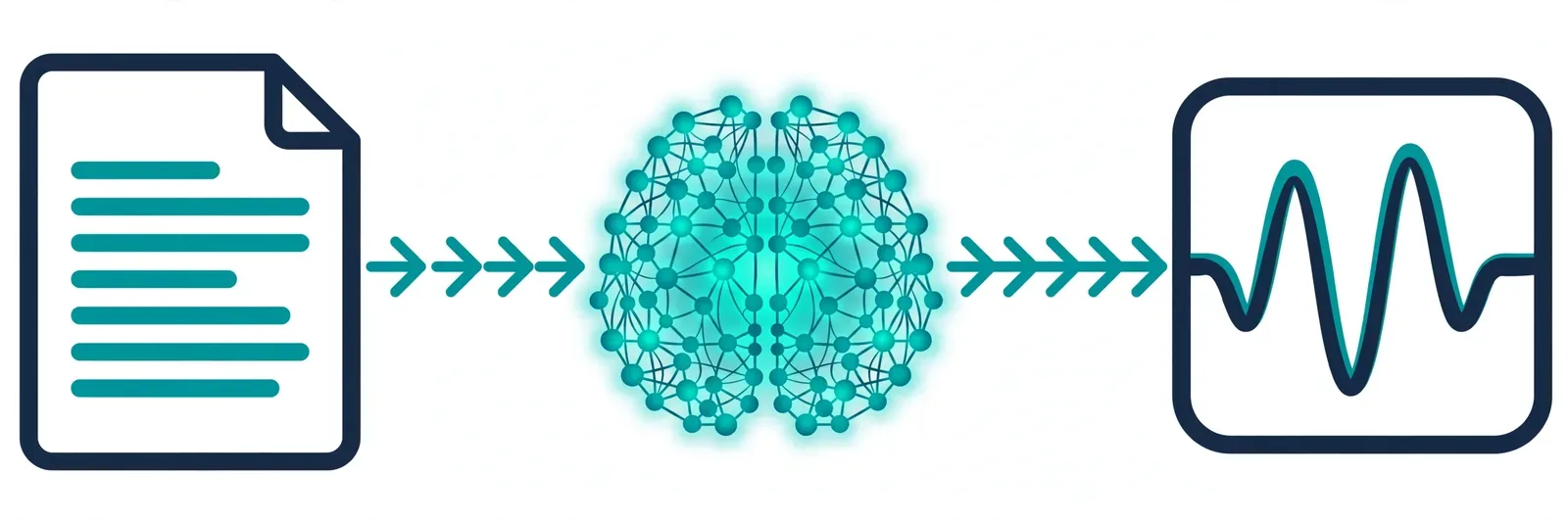
A neural AI voice is a voice built from scratch by a neural network trained on thousands of hours of real human speech. That last part — "built from scratch" — is the whole story. Old-school text-to-speech worked by stitching together tiny clips of recorded audio, which is why every sentence had that telltale choppy, cut-and-paste feel. Neural voices don't stitch. They predict what the next fraction of a second should sound like, continuously, so the result flows.
Here's what that means in practice: a neural voice reads the whole sentence before it starts speaking. It sees the comma, so it pauses. It sees the question mark, so the pitch lifts. It sees a quoted name and (usually) gets the emphasis right. The difference between that and the old robotic voices is not subtle — it's the difference between "a computer reading text" and "a person telling you something."
On TextToSpeechH AI you can try 14 neural voices straight in your browser — no signup, no subscription, no trial that quietly converts. Try the TextToSpeechH AI Voice Generator, or read the background on our AI Text to Speech page. Hearing one in action teaches you more than any paragraph about "acoustic models" ever will.
2. A Short History: How Computer Voices Stopped Sounding Like Robots
If you're old enough to remember the robot voice on a GPS from 2008, you'll appreciate how far this has come. Four eras, quickly:
- Formant synthesis (1970s–80s): Pure math — sine and square waves shaped to imitate a vocal tract. Extremely light on memory, and sounded like a microwave trying to talk. You've heard this in old Stephen Hawking-style demos.
- Concatenative synthesis (1990s–2000s): Engineers recorded real humans saying thousands of tiny sound fragments, then glued them together at runtime. Individual words sounded okay; sentences fell apart at the seams — clicks, pitch jumps, the works.
- Statistical models (2000s–2010s): Hidden Markov Models smoothed everything out, which fixed the clicks but introduced a permanent muffled, buzzy quality. Smoother, but nobody would mistake it for human.
- Neural synthesis (2018–today): The current approach splits the job in two — an acoustic model (architectures like Tacotron 2, FastSpeech 2, VITS, or open-source models like Kokoro) turns your text into a sound blueprint, and a neural vocoder (WaveNet, HiFi-GAN) converts that blueprint into real audio at full 24–48kHz quality. That's the recipe behind every voice on this page.
The honest footnote: Tacotron, WaveNet, FastSpeech, VITS, HiFi-GAN and Kokoro are industry-wide milestones, not products of any single company. TextToSpeechH AI wraps optimized neural synthesis in a fast web interface so you don't need a GPU farm or a PhD to use it — just a browser.
3. How We Judged These Voices: 6 Things That Actually Matter
Specs sheets lie; ears don't. When we compare voices, we listen for six things — not lab metrics, just the stuff that decides whether a voice is pleasant to listen to for twenty minutes straight:
1. Intonation & Prosody
Does the voice rise on questions and settle at full stops, or drone along flat? Flat is where the robot reveals itself.
2. Pauses & Breathing Room
Does it honor your commas and paragraph breaks with natural-feeling pauses, or rush through everything at one speed?
3. Pronunciation From Context
Does it get "I read the book" vs. "he read it yesterday" right based on context? The tricky homographs are the real test.
4. Accent Authenticity
Would a native speaker accept the Hindi, Urdu, French or Japanese accent — or does it sound like a tourist reading a phrasebook?
5. The 30-Minute Test
Can you listen for half an hour without your brain itching? Some voices charm you in a sample and grate on you by minute twelve.
6. MP3 Download & Usage Rights
Can you actually download the audio and use it commercially — or does it sit behind a paywall the moment you need it?
4. The Top 10 Best AI Voices in 2026 — Reviewed One by One
These are the ten voices on TextToSpeechH AI we'd actually recommend to a friend. Each card has the voice ID you'll see in the generator, where it shines, and — because nobody else will say it — a candid note on its limits.
1. Jenny (US English Female — the All-Rounder)
Voice ID: en-US-JennyNeural | Locale: American English | Gender: Female
Jenny is the voice we suggest when someone says "just pick one for me." Her tone is warm without being sugary, clear without sounding like a news anchor, and she holds up remarkably well over long sessions — a full audiobook chapter doesn't degrade into monotone the way weaker voices do. If you only try one voice on this list, make it this one.
Best for: YouTube explainers, online courses, audiobooks, business presentations. Try Jenny on our Online Text to Speech Generator.
2. Guy (US English Male — Deep, Authoritative)
Voice ID: en-US-GuyNeural | Locale: American English | Gender: Male
Guy sounds like the narrator of a serious documentary — and we mean that as a compliment. His lower register carries authority, which makes him a natural fit for news summaries, corporate videos, and faceless YouTube channels. One caveat: don't use him for lighthearted content. A deep baritone reading a playful script feels like a movie trailer parody.
Best for: Commercials, corporate podcasts, news roundups, documentaries. Test Guy free at Free Text to Speech.
3. Sonia (UK English Female — Refined and Precise)
Voice ID: en-GB-SoniaNeural | Locale: British English | Gender: Female
Sonia speaks polished British English with crisp diction — the voice you'd hire for a luxury brand ad or a classic literature audiobook. She makes ordinary sentences sound slightly more important, which is either exactly what you want or a reason to pick Jenny instead. Match the voice to the mood.
Best for: Premium audiobooks, historical narration, travel guides, high-end brand content.
4. Swara (Hindi Female — Expressive and Warm)
Voice ID: hi-IN-SwaraNeural | Locale: Indian Hindi | Gender: Female
Swara handles real-world Hindi — Devanagari script, conversational phrases, and the Hindi-English mixing (Hinglish) that shows up in actual Indian content — without mangling it. She's genuinely expressive rather than just loud, which makes her our pick for storytelling, podcasts, and YouTube Shorts aimed at Hindi audiences.
Best for: Hindi storytelling podcasts, YouTube Shorts, regional ads.
5. Madhur (Hindi Male — Clear and Energetic)
Voice ID: hi-IN-MadhurNeural | Locale: Indian Hindi | Gender: Male
Madhur is the male counterpart to Swara — crisp, present, and energetic enough for tech reviews and tutorials without tipping into shouting. Pair him with Swara for two-voice Hindi content (podcasts, dialogues, multi-character narration) and the contrast sounds genuinely like two different people.
Best for: Hindi tutorials, tech reviews, news-style voiceovers.
6. Uzma (Urdu Female — Soft and Melodic)
Voice ID: ur-PK-UzmaNeural | Locale: Pakistani Urdu | Gender: Female
Urdu lives or dies on its rhythm, and Uzma gets the cadence right — the word stress in poetry and literary prose lands where a native speaker would put it. If you're narrating Urdu poetry, audio stories, or educational content in Urdu script, she's the obvious choice.
Best for: Urdu poetry, literature narration, audio story channels, educational audiobooks.
7. Elvira (European Spanish Female — Warm and Natural)
Voice ID: es-ES-ElviraNeural | Locale: European Spanish | Gender: Female
Elvira delivers clean Castilian Spanish with proper accentuation and vowels that don't blur together. She's the voice for creators localizing content for Spanish-speaking audiences — commercials, dubbing, language courses — without hiring a voice actor in Madrid.
Best for: Spanish language learning, commercial voiceovers, international dubbing.
8. Denise (French Female — Smooth Parisian Diction)
Voice ID: fr-FR-DeniseNeural | Locale: French | Gender: Female
French pronunciation is where mediocre TTS goes to die — liaisons, nasal vowels, silent letters everywhere. Denise handles these transitions smoothly, which is why she works for fashion branding, travel commentary, and French course materials alike.
Best for: French courses, fashion and lifestyle branding, travel narration.
9. Katja (German Female — Precise and Articulate)
Voice ID: de-DE-KatjaNeural | Locale: German | Gender: Female
German compound nouns are a stress test for any TTS engine — five syllables glued together with no mercy. Katja articulates them cleanly instead of smearing them into one blob. She's not the voice for warm storytelling; she's the voice for technical manuals, industrial guides, and training material where every syllable has to land.
Best for: Technical documentation, industrial training, German educational content.
10. Nanami (Japanese Female — Natural Pitch-Accent)
Voice ID: ja-JP-NanamiNeural | Locale: Japanese | Gender: Female
Japanese is a pitch-accent language — get the pitch contour wrong and a word can mean something else entirely. Nanami models standard Tokyo pitch-accent patterns and handles mixed Kanji, Hiragana, Katakana, and Romaji input, which makes her genuinely usable for Japanese language instruction and anime-style narration, not just a novelty.
Best for: Japanese language lessons, anime narration, gaming tutorials.
5. Side-by-Side Comparison Table
Don't want to read ten reviews? Here's the cheat sheet — every voice on TextToSpeechH AI, its character, and what it's best suited for:
| Voice Name | Model ID | Language / Accent | Vocal Profile | Primary Recommendation |
|---|---|---|---|---|
| Jenny | en-US-JennyNeural |
US English | Warm, Conversational | Audiobooks, Explainer Videos |
| Guy | en-US-GuyNeural |
US English | Authoritative Baritone | Corporate, Documentaries |
| Sonia | en-GB-SoniaNeural |
UK English (RP) | Refined, Crisp Diction | Luxury Ads, Classics |
| Swara | hi-IN-SwaraNeural |
Hindi | Sweet, Expressive | Storytelling, Podcasts |
| Madhur | hi-IN-MadhurNeural |
Hindi | Clear, Energetic Male | Tutorials, News Shorts |
| Uzma | ur-PK-UzmaNeural |
Urdu | Soft, Melodious | Poetry, Literature |
| Elvira | es-ES-ElviraNeural |
European Spanish | Warm, Natural | Commercials, Dubbing |
| Denise | fr-FR-DeniseNeural |
French | Smooth, Parisian Diction | Courses, Fashion Branding |
| Katja | de-DE-KatjaNeural |
German | Precise, Technical | Training, Documentation |
| Nanami | ja-JP-NanamiNeural |
Japanese | Natural Pitch-Accent | Language Lessons, Gaming |
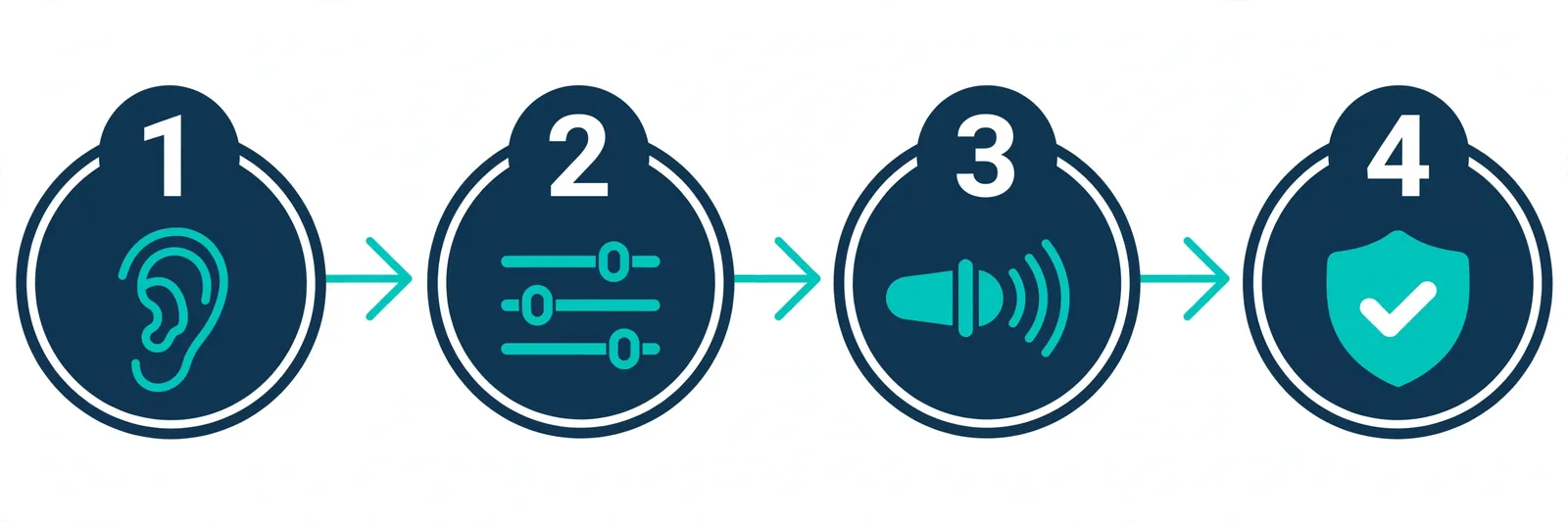
6. Picking and Tuning the Perfect Voice (4-Step Workflow)
Choosing a voice takes about two minutes. Tuning it so it actually sounds good takes five. Here's the workflow that works:
- Paste a clean script. Drop your text into the generator on the TextToSpeechH AI homepage. Strip out stray HTML, markdown symbols, and weird characters first — the voice will try to read everything literally, including your
###headers, if you let it. - Pick the voice and accent. Choose from the 14 neural models (say,
en-US-JennyNeuralfor a tutorial oren-US-GuyNeuralfor a news-style read). Don't overthink this step — generate a 30-second sample and listen. - Adjust speed and pitch. The rate slider (-50% to +100%) is more powerful than people expect: slow down dense technical text, speed up casual narration. The pitch control (-50Hz to +50Hz) lets you nudge a voice warmer or sharper. Small moves — 5 to 10% — beat dramatic ones.
- Generate, listen, download. Hit "Generate Audio," listen to the first chunk in the web player (catch weirdness early), then click "Download MP3." The download is high-bitrate and yours to keep.
The step everyone skips: always proof-listen before you publish. Generate first, then walk around the block with headphones on. You'll catch the one mispronounced name or rushed sentence that would have embarrassed you.
7. Where These Voices Actually Get Used
These aren't theoretical use cases — this is what people are actually doing with neural voices right now:
- Faceless YouTube channels & Shorts: Creators narrate Shorts, Reels, and documentaries with Jenny or Guy instead of recording (and re-recording) their own voice. See our YouTube AI Voiceover Guide for the full setup.
- Education & accessibility: Students with dyslexia or visual impairments listen to textbooks with read-along highlighting. Try Read Aloud and PDF to Speech.
- Audiobooks & podcasts: Indie authors turn manuscript chapters into MP3 in minutes instead of booking studio time. (One caveat: chapter-by-chapter generation works; feeding a whole book at once doesn't. Work in chunks.)
- Multilingual localization: Small businesses dub marketing videos into Spanish, French, German, or Hindi with native-sounding accents — no remote voice actors, no scheduling, no invoices.
8. The Punctuation Trick That Makes Voices Sound Human
Here is the single highest-leverage thing in this entire article: punctuation is your direction. The voice can't see your intentions — it only sees your text. Commas, periods, ellipses, and exclamation marks are how you tell it where to pause, where to breathe, and where to get excited. Same sentence, two scripts, completely different audio:
// Before: one flat rush of words
"Welcome to our product overview today we are announcing three new features."
// After: natural breathing pauses, built-in emphasis
"Welcome to our product overview. Today... we are excited to announce three groundbreaking features."
Periods create full stops. Ellipses create dramatic pauses (use sparingly — every sentence ending in "..." sounds like a cliffhanger). Exclamation marks add energy to the final word. Master this and you'll sound better than 90% of AI voiceovers on YouTube, regardless of which voice you pick.
9. What AI Voices Do Well — and Where They Fall Short
Every "benefits of AI voices" article reads like a sales pitch. Here's the honest version — because knowing the limits saves you from discovering them mid-project:
The Genuine Upsides
- Generate audio any time — no studio, no mic, no "one more take."
- No subscription or credit-card paywall on TextToSpeechH AI; the MP3 is yours to download.
- Rate and pitch controls let you tune the delivery to your content.
- Real multilingual coverage — English (US & UK), Hindi, Urdu, Spanish, French, German, Japanese, and more.
The Honest Limits
- Extreme emotion — real shouting, sobbing, whispering — still needs careful script formatting and won't fool a trained ear.
- Acronyms and brand names get butchered sometimes. Spell them out phonetically ("N-A-S-A", not "NASA" read as one word).
- Unusual proper nouns may need a spelling hack — write them the way they sound.
- No AI voice improvises or ad-libs. If your script is boring, the voice can't save it.
10. Best Practices for Natural-Sounding Voiceovers
Five habits that separate professional-sounding AI voiceovers from obviously-synthetic ones:
- Clean your script first. Remove bullet symbols, markdown, and stray characters — the voice reads everything you give it.
- Write out numbers and abbreviations. "Five hundred dollars" flows naturally; "$500" can come out awkward. Same for "Dr." vs "Doctor."
- Keep sentences short for video. For TikTok and YouTube Shorts, sentences under 15 words keep the pace snappy.
- Match loudness to your platform. After downloading the MP3, normalize to around -14 LUFS for YouTube in your editor so your voiceover doesn't blast or whisper next to the music bed.
- Stick with one voice per project. Switching voices mid-series breaks the illusion for your audience. Lock your narrator and don't touch the settings again.
11. Common Mistakes When Picking an AI Voice
Three mistakes we see constantly — all avoidable in about thirty seconds each:
- Wrong voice, right words. An upbeat, bouncy voice reading a solemn history documentary sounds absurd. Mood-match first; everything else is secondary.
- Default speed for everything. Dense medical or technical text at default speed sounds like a disclaimer read at 2x. Slow down and add commas.
- Ignoring usage rights. Some tools let you generate for free and then charge you to use the audio commercially. Always check. (TextToSpeechH AI audio is royalty-free — but don't take our word for it on other platforms.)
12. Fixing Robotic-Sounding Audio: 3 Quick Fixes
Your audio sounds a bit rushed or flat? Before blaming the voice, try these — they fix the vast majority of "sounds robotic" complaints:
- Rushed speech: Drop the speed to
-5%or-10%. It sounds like almost nothing, but it gives every word room to land. - Mispronounced words: Spell the word the way it sounds. "Kawkawro" instead of the spelled name, "Wav-net" instead of an acronym — ugly in the script, perfect in the audio.
- Flat delivery: Add punctuation with intent — exclamation marks for energy, question marks to lift the ending pitch, ellipses for a beat of suspense.
Still robotic after all three? The script is probably the problem, not the voice. Shorten the sentences and add more punctuation — then regenerate.
13. Expert Tips & What People Actually Search For
Let's be candid about what most people searching "best AI voices" actually want: a free tool with direct MP3 downloads and no character limits — not a $22/month subscription. That's exactly what TextToSpeechH AI is built for. But two tips that matter more than the tool:
- Test voices with your script, not the demo text. A voice that sounds great on a marketing sample can sound wrong on your content. Paste a real paragraph from your project, generate 30 seconds, and listen on the device your audience uses (phone speakers hide flaws; headphones reveal them).
- The 10-minute test. Generate a few minutes of your actual material and listen all the way through while doing something else. If you stop noticing the voice, you've found your narrator. If it starts to grate, keep looking.
14. Which Voice Should You Pick? A Quick Decision Guide
Match the Voice to Your Project
- Making YouTube Shorts or TikToks?
en-US-JennyNeuralfor English,hi-IN-SwaraNeuralfor Hindi. Warm, friendly, keeps viewers' attention. - Corporate presentations or documentaries?
en-US-GuyNeural— oren-GB-RyanNeuralif you want a British male voice. Authority without monotony. - Narrating literature or audiobooks?
en-GB-SoniaNeuralfor English classics,ur-PK-UzmaNeuralfor Urdu poetry and prose. - Building regional or technical courseware?
hi-IN-MadhurNeural,es-ES-ElviraNeural,fr-FR-DeniseNeural, orde-DE-KatjaNeural— native accents, precise articulation.
15. Summary & Key Takeaways
Neural AI voices in 2026 are genuinely good — good enough that the difference between amateur and professional-sounding audio is now the script formatting, not the voice. Pick the right voice for your content's mood (Jenny for all-rounders, Guy for authority, Sonia for elegance, Swara/Madhur for Hindi), punctuate like a director, proof-listen before publishing, and download your MP3s free on TextToSpeechH AI.
The one sentence to remember: the voice gets you 70% of the way there; punctuation and pacing do the rest.
16. Frequently Asked Questions
Q1: What is the most realistic AI voice available for free in 2026?
en-US-JennyNeural and en-US-GuyNeural — Jenny for warm, conversational narration and Guy for authoritative reads. Both are free on the TextToSpeechH AI Voice Generator, so just try them with your own text instead of trusting anyone's ranking. Your ears are the only judge that matters here.
Q2: Can I download generated audio tracks as MP3 files without sign-up?
Yes. Every generation on TextToSpeechH AI comes with a high-bitrate MP3 download button — no account, no credit card, no "free trial." Start at Free Text to Speech.
Q3: Are AI voices on TextToSpeechH AI cleared for commercial YouTube monetization?
Yes. Audio generated on TextToSpeechH AI is royalty-free and cleared for commercial use — YouTube monetization, TikTok, podcasts, client work, all of it. (This is the question to ask on any platform before you build a channel on it.)
Q4: How do I fix robotic stuttering in AI voice audio?
Stuttering almost always comes from the text, not the voice: raw code characters, missing punctuation, or run-on sentences. Add commas for natural pauses, spell out abbreviations, and reset the speed to +0% if you've been fiddling with it. Nine times out of ten, one of these fixes it.
Q5: What is the difference between neural voices and concatenative voices?
Concatenative voices glue together snippets of pre-recorded human speech — decent on single words, clunky on sentences (those clicks and pitch jumps). Neural voices synthesize the audio continuously from a learned model of human speech, which is why they sound fluid instead of assembled.
Q6: How many languages does TextToSpeechH AI support?
TextToSpeechH AI offers 14 neural voices covering US English, UK English, Hindi, Urdu, Spanish, French, German, Arabic, and Japanese — with the ten flagship voices reviewed in detail above.
Q7: Can I adjust the speaking speed of AI voices?
Yes — the rate slider runs from -50% (slow) to +100% (fast). Honest advice: you probably want smaller moves than you think. Most "sounds robotic" complaints are fixed by slowing down 5–10%, not by dramatic speed changes.
Q8: Which AI voice is best for Hindi YouTube Shorts?
hi-IN-SwaraNeural for female narration and hi-IN-MadhurNeural for male — both handle Devanagari, conversational Hindi, and Hinglish mixing naturally. For Shorts specifically, keep sentences short and punchy; the voice is only half the battle, pacing is the other half.
Q9: Can I convert PDF documents to audio with these voices?
Yes — upload PDF, DOCX, or TXT files and any of these voices will read them. See PDF to Speech. One tip: clean the extracted text first — page headers and footers will get read aloud if you leave them in, and that's a special kind of annoying.
Q10: Does TextToSpeechH AI require software installation?
No. It's 100% web-based — Chrome, Safari, Edge, Firefox, or your phone's browser. Nothing to download, nothing to update.
Q11: What is the best AI voice for British English audiobooks?
en-GB-SoniaNeural — her crisp British diction suits classic literature and premium audiobook projects. Just lock the voice for the whole book: chapter 14 with different settings will sound like a different narrator.
Q12: Can I adjust pitch settings on TextToSpeechH AI?
Yes — the pitch control runs from -50Hz to +50Hz, useful for customizing character voices or warming up a voice that sounds slightly flat. Small adjustments; big ones sound cartoonish fast.
Q13: How does TextToSpeechH AI handle long manuscripts?
Text is processed in chunks and merged into one MP3. The practical advice: work chapter by chapter anyway. It keeps your generations manageable, lets you catch problems early, and means regenerating one bad chapter instead of an entire book.
Q14: Is there a character limit on free text generation?
TextToSpeechH AI offers free web generation without character-quota paywalls. For very long documents, generate in sections — it's more reliable and easier to proof-listen anyway.
Q15: What is G2P in speech synthesis?
Grapheme-to-Phoneme translation — the step where the system converts written letters into sound units. It's why the voice knows "read" (present) and "read" (past) sound different: it reads the context, not just the letters. When a voice mispronounces something, G2P guessing wrong is usually the culprit.
Q16: Which voice is best for technical engineering documentation?
de-DE-KatjaNeural for German technical content (compound nouns, handled), and en-US-GuyNeural for English documentation. Both prioritize clarity and articulation over warmth — exactly what technical material needs.
Q17: How can teachers use AI voices for accessibility?
Convert assignments and readings into MP3 so students with dyslexia or visual impairments can listen while following along — bimodal reading genuinely helps comprehension. It's one of the most meaningful uses of this technology, and it's free.
Q18: What audio bitrate does TextToSpeechH AI export?
Clean, high-bitrate MP3 — good enough to drop straight into Premiere Pro, CapCut, or any editor without re-encoding. No watermark beeps, no "upgrade for HD audio" nonsense.
Q19: Are Japanese voices supported on TextToSpeechH AI?
Yes — ja-JP-NanamiNeural handles Japanese pitch-accent and mixed Kanji/Hiragana/Katakana input. Worth trying even if you just need a few lines of Japanese for a video.
Q20: How do I return to the main Text to Speech guide?
Head to the Text to Speech Master Guide — it's the pillar resource everything else branches off from.
Related Guides
- How Text-to-Speech Works: Neural Guide
- Gemini Flash TTS: Pricing & Free Alternatives
- Microsoft MAI-Voice-2.1: Pricing & Free Alternatives
- AI Voice Cloning: Clone Your Voice Free (2026)
- Best AI Voice Generators With Free Plans (2026)
- ElevenLabs v4: Try Expressive AI Voices Free
- Suno Speech Review: AI Voiceovers With Music
Sources & References
- W3C Web Accessibility Initiative — "Audio Content & Video Content" text-to-speech guidance: www.w3.org/WAI/media/av/av-content/
- Wikipedia — Speech Synthesis & Speech Recognition: en.wikipedia.org/wiki/Speech_synthesis
- van den Oord et al. — WaveNet: A Generative Model for Raw Audio: arxiv.org/abs/1609.03499
- Shen et al. — Natural TTS Synthesis by Conditioning WaveNet on Mel Spectrogram Predictions (Tacotron 2): arxiv.org/abs/1712.05884
- Google — Neural Text-to-Speech & AI Overview documentation: cloud.google.com/text-to-speech