
Quick Answer: How Do I Make an Audiobook for Free?
Clean up your manuscript, split it into chapters, and run each chapter through a free text-to-speech tool like TextToSpeechH (10,000 words free, no sign-up). Pick a warm voice, generate chapter by chapter, then join the MP3s and export at 128 kbps mono. A short book takes about an afternoon — no studio, no narrator fees.
A few years ago, turning a book into an audiobook meant hiring a narrator, renting studio time, and spending hundreds of dollars. Today you can do it on your laptop, for free, in an afternoon. Whether you want to listen to your own notes on a drive, give your ebook an audio version, or finally finish that manuscript collecting dust, this guide walks you through the whole process — no studio, no budget, no recording experience needed.
In a hurry? TextToSpeechH turns your text into natural audio right in the browser — paste a chapter, pick a voice, download the MP3. Free, no sign-up.
What you need before you start
Three things: your text in a clean digital format (a Word doc, PDF, or plain text file works best), a text-to-speech tool, and about an hour for a short book. Scanned PDFs with messy formatting cause the most problems, so if your source is a scan, clean up the text first — remove page numbers, headers, and broken lines. Five minutes of cleanup here saves you an hour of weird pauses later.
If your source is a PDF, our PDF-to-audio converter guide covers how to extract clean text from it first.
Step 1: Pick the right tool
Free audiobook makers fall into two camps. Browser-based converters take your file and return an MP3 or M4B — simple, but long books can hit size limits. A free text-to-speech tool like TextToSpeechH gives you more control: you paste your text chapter by chapter, choose a natural voice, adjust the speed, and download clean audio.
For most people making their first audiobook, the chapter-by-chapter approach wins because you can fix mistakes in one chapter without redoing the whole book. If you want a tool that generates an entire book in one pass instead, our AI audiobook generator guide compares the dedicated options.
Step 2: Prepare your manuscript
Split your book into chapters before you generate anything. Add a short pause marker or a blank line at scene breaks so the narration breathes. Read one page aloud yourself — if you stumble over a sentence, the AI voice will too. Long, tangled sentences are the number one reason AI narration sounds robotic, and a quick edit fixes most of it.
Step 3: Choose a voice that fits the book
Match the voice to the material. A warm, medium-paced voice suits memoirs and non-fiction. Fiction benefits from a slightly slower pace so listeners can follow dialogue. Always generate a two-minute sample first and listen with fresh ears — if you would not listen to that voice for three hours, your audience will not either.
Step 4: Generate and check chapter by chapter
Generate one chapter at a time and spot-check the beginning, middle, and end of each file. Listen for mispronounced names — every book has a few. The practical fix most guides skip: tweak the spelling phonetically in a working copy (writing "Hermione" as "Her-my-oh-nee") to fix pronunciation, without changing the text your readers see in the final book.
Step 5: Assemble your audiobook
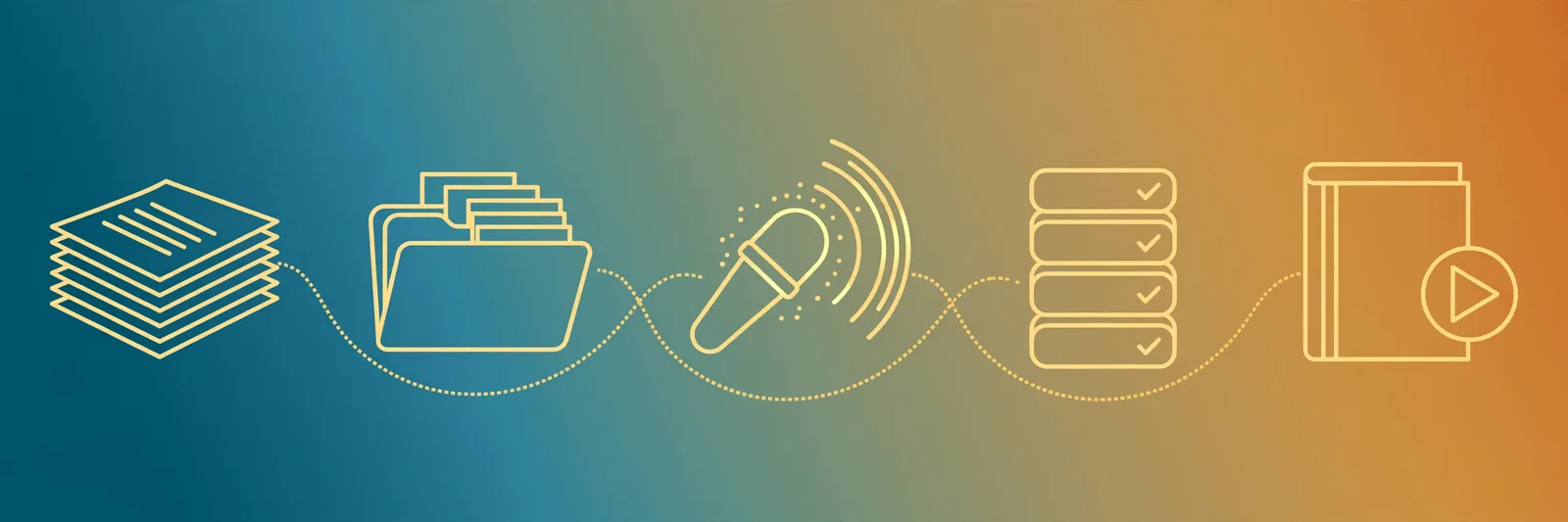
Name your files in order (01-chapter-one.mp3, 02-chapter-two.mp3) so any player queues them correctly. If you want a single polished file, free editors like Audacity can join chapters and add a second of silence between them. Export at 128 kbps mono — it sounds great for speech and keeps a ten-hour book under 500 MB.
One honest warning: copyright
Making an audiobook of your own writing is always fine. Recording a copyrighted book for your own private listening is generally acceptable, but selling or sharing that recording is not. If you plan to publish, the text must be yours or public domain. This is the one rule you cannot skip.
The bottom line: Your first audiobook will not sound like a studio production, and that is okay. It will sound clear, natural, and completely listenable — which is all most projects need. Start with a short book, learn the workflow, and by your second one you will be twice as fast. The tools are free; the only real cost is an afternoon. Start with chapter one now — paste your text and hear it read back.
Frequently Asked Questions
Can I really make an audiobook for free?
Yes. Free text-to-speech tools like TextToSpeechH (10,000 words free, no sign-up) can narrate a full book chapter by chapter. The trade-off versus a studio production is polish, not basic quality — the result is clear and completely listenable.
How long does it take to make an audiobook with AI?
Generation itself is fast — a few minutes per chapter. Budget about an afternoon for a short book including manuscript cleanup, voice sampling, and spot-checking each chapter. Your second book will take roughly half the time.
What format should an audiobook be in?
MP3 is the safest choice — every player supports it. Export speech at 128 kbps mono: it sounds great for narration and keeps a ten-hour book under 500 MB. M4B adds chapter markers if your player supports them.
Can I sell an audiobook I made from someone else's book?
No. Selling or sharing a recording of a copyrighted book infringes the author's rights, even if you made the recording yourself. Only publish audiobooks of your own writing or public-domain texts.
Which AI voice is best for audiobook narration?
A warm, medium-paced voice works for most non-fiction and memoirs. Fiction does better slightly slower so dialogue is easy to follow. Always test a two-minute sample first — if you would not listen to that voice for three hours, pick another.
Sources & References
- W3C Web Accessibility Initiative — "Audio Content & Video Content" text-to-speech guidance: www.w3.org/WAI/media/av/av-content/
- Wikipedia — Speech Synthesis & Speech Recognition: en.wikipedia.org/wiki/Speech_synthesis
- van den Oord et al. — WaveNet: A Generative Model for Raw Audio: arxiv.org/abs/1609.03499
- Shen et al. — Natural TTS Synthesis by Conditioning WaveNet on Mel Spectrogram Predictions (Tacotron 2): arxiv.org/abs/1712.05884
- Google — Neural Text-to-Speech & AI Overview documentation: cloud.google.com/text-to-speech