
Quick Answer: What Makes Text to Speech Funny?
Here's the thing nobody tells you: the voice is only about 20% of the joke. The other 80% is the writing and the delivery — a perfectly serious voice reading a completely absurd sentence is funnier than a wacky voice reading a boring one. That's the whole trick behind years of TTS trolling and meme audio. Below: the voice types that work, the free tools for each, how to write lines that land, and the one catch (character voices in monetised videos) that the tool pages never mention.
The 5 funny voice types (and what each is actually for)
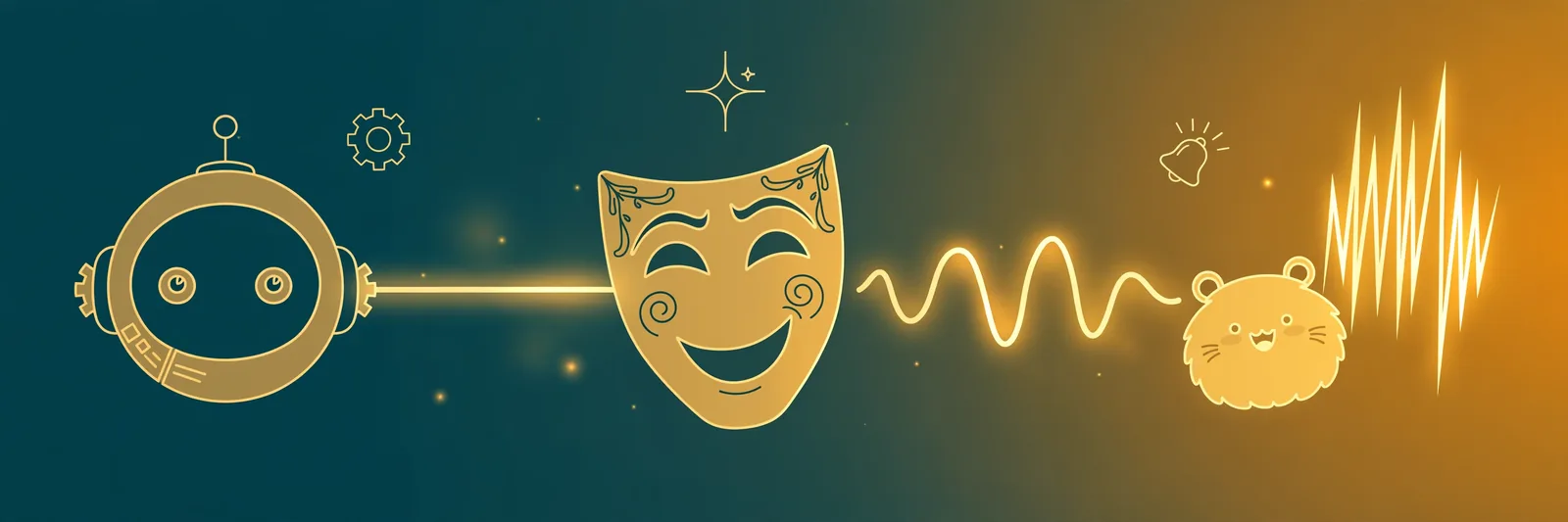
- The Deadpan. A flat, serious, newsreader-style voice. The king of funny TTS — it's the voice of Twitch donation trolling and Reddit-story memes, and it works because it never acknowledges the joke. The text does something ridiculous; the voice reports it like weather.
- The Character. Cartoon-style and meme character voices (the ones all over FakeYou-style libraries). Instantly recognisable, very funny for ten seconds, exhausting after a minute. Best for one-liners and soundboard moments.
- The Robot. The retro machine voice. Half the internet's "AI assistant" jokes live here. If you want this one, our robot voice generator guide covers the dedicated tools and the DIY route — generate a clean line, add the robot effect in a free editor, done in three minutes.
- The Narrator. The overdramatic movie-trailer / nature-documentary voice. Perfect for narrating completely ordinary things — your friend making tea, a cat sitting down — like they're historic events.
- The Wrong Accent. An ordinary voice reading your text in an accent or language style it clearly wasn't built for. Half of group-chat TTS humour is just a serious voice mispronouncing local names with total confidence.
The tools, honestly
- FakeYou — the big character-voice library. Huge selection of cartoon and meme-style voices, free tier exists but queues can be slow at busy times. This is the character-voice option.
- Uberduck — playful voices and creative experiments; quality swings voice to voice, which is sometimes exactly the joke.
- Murf — a proper studio tool that also has fun, expressive voices and easy pitch/speed controls (squeaky = raise pitch, deadpan = slow down). The paid, polished route.
- TextToSpeechH (ours) — full honesty: our voices are natural human-style voices, not joke presets. That's exactly what the Deadpan runs on. Generate the line free with our text to speech tool, no sign-up, download the MP3, and if you want the robot or chipmunk treatment, bend it in a free editor — our robot voice guide shows the steps.
- Your streaming tools themselves — if you want funny TTS live on Twitch or Discord (donation messages, chat trolling), that's a setup job, not a voice job: our Twitch TTS guide and Discord TTS guide cover the triggers, the settings, and the troll-proofing that keeps it funny instead of unbearable.
How to write a line that actually lands
This is the part the tool pages skip, and it's the part that matters.
- Write it dead serious. "Gary has eaten the last samosa. There will be no further statements at this time." Read flat, that's funny. The same words in a zany voice are just noise.
- Steal formal language. Announcements, news reports, legal notices, wedding speeches, documentary narration — formal words wrapped around stupid content is the oldest comedy engine there is, and TTS is built for it.
- Keep it short. One or two sentences per clip. Funny TTS is a sprinter; a paragraph kills it.
- Spell for the ear. The voice reads what you wrote, not what you meant. Write names phonetically, and break long words up if the voice trips.
- Use the pause. A full stop is a timing beat. "He opened the fridge. ... There was nothing." The gap is where the laugh lives.
The three classic jobs
- Twitch/Discord trolling (the friendly kind). Donation or chat messages read in deadpan while someone streams. Set a character minimum and a banned-words list or it stops being funny fast — both guides above cover the settings.
- Meme narration on TikTok/Reels. The overdramatic narrator over mundane footage, or the flat TTS voice narrating a story too wild to be true. This is a whole genre: generate the voice externally, drop it into your editor — our TikTok TTS article covers the workflow.
- Prank messages. A robot or narrator voice delivering a Very Important Announcement to the family group chat. Keep it kind: the best prank TTS is absurd, not alarming — a fake "your car is being towed" crosses from funny to a phone call from your mother.
The catch nobody mentions: voices you don't own
Character voices that imitate real celebrities or famous cartoon characters are a grey area. For jokes between friends, nobody cares. The moment the video is monetised — ads on, brand deal attached — using an imitation of a real person's voice can get the video claimed, taken down, or worse, and "the tool let me do it" is not a defence. The tool pages selling these voices rarely say this part out loud.
The safe split: character voices for private jokes and clearly-labelled parody; your own voice, stock voices, or effects (robot, pitch, deadpan) for anything public or paid. The joke survives either way — remember, 80% of it was the writing.
The short version: Pick the Deadpan for almost everything, write the line like a newsreader reporting a disaster, keep it under two sentences, and bend the audio in a free editor when you need a robot or a chipmunk. Funny is a writing skill with a voice attached — and the voice is the cheap part.
By Mauhnish — I build TextToSpeechH and write these guides from what actually works when you test it, not from feature lists. If a step above didn't work the way I described, the tool changed — tell me and I'll fix the guide.
Frequently Asked Questions
What is the funniest text to speech voice?
The flat, serious one — honestly. Deadpan narration of absurd text is the most reliable funny TTS there is; it's why donation-trolling voices sound like newsreaders. Character voices win for one-liners, but they wear out in under a minute.
How do streamers make donation messages funny?
A TTS bot reads the message in a deadpan voice while the streamer reacts. The humour is the contrast — and good settings: character minimums, profanity filters, and a cooldown, or chat turns it into noise. Our Twitch guide covers the full setup.
Can I use funny character voices in monetised videos?
Be careful. Imitations of real celebrities or copyrighted characters can get monetised videos claimed or removed, whoever's tool generated them. For public or paid content, stick to stock voices and effects — robot, pitch-shifted, deadpan — and keep character imitations for private jokes.
How do I make a text to speech voice sound funnier for free?
Three free levers: slow it slightly (deadpan), pitch it up or down a notch in a free editor like CapCut or Audacity (chipmunk / movie villain), or write the line more formally. The third one works best and costs nothing at all.
Sources & References
- W3C Web Accessibility Initiative — "Audio Content & Video Content" text-to-speech guidance: www.w3.org/WAI/media/av/av-content/
- Wikipedia — Speech Synthesis & Speech Recognition: en.wikipedia.org/wiki/Speech_synthesis
- van den Oord et al. — WaveNet: A Generative Model for Raw Audio: arxiv.org/abs/1609.03499
- Shen et al. — Natural TTS Synthesis by Conditioning WaveNet on Mel Spectrogram Predictions (Tacotron 2): arxiv.org/abs/1712.05884
- Google — Neural Text-to-Speech & AI Overview documentation: cloud.google.com/text-to-speech