
The best Korean text to speech tool is the one that pronounces Hangul correctly instead of reading it letter by letter. Most free tools fail that test. We rounded up 7 free tools and free tiers, tested them with real Korean sentences, and ranked them on voice quality, pronunciation, and free limits. Start with Edge Read Aloud for listening, or a free web reader for an MP3.
Korean has about 81 million native speakers (Ethnologue, 28th edition, 2025), and K-drama and K-pop keep adding learners. The catch: spelling and sound are not the same thing in Korean. A tool that reads letters literally teaches the wrong pronunciation with total confidence. This guide shows which tools handle the real sound rules.
Quick Answer — Which Korean Text to Speech Tool Sounds Most Natural?
Quick Answer: For free listening, Microsoft Edge Read Aloud sounds most natural. Its Korean neural voices, like SunHi (ko-KR-SunHiNeural), pace sentences like a person. For a free MP3 with no sign-up, use a web reader such as TTSMaker — or our own TextToSpeechH, which added Korean voices (SunHi and InJoon) on 9 November 2026. For expressive long narration, ElevenLabs leads, but it leans paid after a small trial. Google Translate is a quick check, not a reader.
The 7 Best Korean Text to Speech Tools (Tested)
| Tool | Best for | Free use | MP3 download | Sign-up needed |
|---|---|---|---|---|
| Google Translate (read-aloud) | Quick phrase check | Free, short passages | No | No |
| Microsoft Edge Read Aloud | Natural free listening | Free in Edge browser | No | No |
| TTSMaker | Free generation with room | Free, ad-supported | Yes | No |
| Narakeet | Narrated videos and lessons | Free trial, then paid | Yes, on plans | Yes |
| NaturalReader | Documents and study text | Free tier, limited | Limited | Yes |
| ElevenLabs / ElevenReader | Most expressive narration | Small trial, then paid | Yes, on plans | Yes |
| TextToSpeechH | Free Korean in the browser (SunHi & InJoon) | Free — two Korean voices included | Yes | No |
1. Google Translate — best for a quick pronunciation check
You already have this one. Paste Korean text in, make sure Korean is selected, and press the speaker icon. The sentence reads back free, in seconds. Learners use it daily to check a phrase before class, and nothing is faster.
The honest limits: the voice is flat, intonation barely moves, and it handles only short passages. No download, no useful speed control. A dictionary with a voice, not your reader.
2. Microsoft Edge Read Aloud — best free voices, hiding in your browser
Open a Korean page or document in Microsoft Edge, right-click, choose Read Aloud. The Korean neural voices behind it, SunHi is the best known, are genuinely good: clean pronunciation, natural pacing, believable sentence melody. For listening practice, it is the strongest free option most people already own.
The limits are about output, not quality. There is no MP3 export, you need Edge installed, and it reads the page in front of you, which suits articles and lessons better than your own scripts.
3. ElevenLabs / ElevenReader — most expressive Korean, paid-leaning
ElevenLabs produces the most expressive Korean narration here: voices that carry emotion across a long script instead of flattening out after a minute. Its reader app, ElevenReader, applies the same voices to documents and articles. For a client video or course, this is the quality benchmark.
The honest part: it is paid, with a small free allowance to test with, and Korean is not its biggest language shelf. Do not plan a project around the free trial.
4. Narakeet — best for narrated videos in the browser
Narakeet turns a script into narrated video and audio in one place, and it lists Korean voices among its options. If your end product is a lesson video or explainer, voice and video in one editor saves real time.
The honest limits: the free trial is a taster, not a workflow, and you will hit its limits quickly on full videos. The Korean voices are clear narrators, not actors, which suits lessons more than drama dialogue.
5. TTSMaker — best free online option with generous limits
TTSMaker is a free website that reads text in many languages, Korean included, and lets you download the MP3 without an account. Of the free online converters, it gives you a comfortable amount of generation before slowing you down, a reasonable default for YouTube narration on a zero budget.
The honest limits: expect a verification step first, and the site is ad-supported. The Korean voices are clear but a step below the top neural voices on long passages. Work in scenes, not whole scripts.
6. NaturalReader — best for reading documents and study material
NaturalReader is built around reading: documents, PDFs, and web pages read aloud while you follow along. It offers Korean voices, and the design suits students working through Korean articles or graded readers (see our text to speech for students guide).
The honest limits: the free tier is limited, and downloads plus the better voices sit behind an account and a plan. If you mainly listen and read along, free may be enough. For files to take with you, tools 3 and 5 are simpler.
7. TextToSpeechH — our own tool, now with Korean voices
Full disclosure, this is our site. When this guide first published on 9 November 2026, we wrote an honest gap here: TextToSpeechH had no Korean voice. That changed the same day — Korean joined the picker as SunHi (female) and InJoon (male), free in any browser with an MP3 download and no sign-up. Try them on our Korean text to speech page, and judge them against the six tools above with your own text.
Best Overall: Most Natural Korean Voices
If natural sound is all that matters, budget decides. Free, Edge Read Aloud wins: SunHi reads everyday Korean like a person, at no cost beyond having the browser. Paid, ElevenLabs wins on expression.
And our own tool can judge this race now: TextToSpeechH added SunHi and InJoon on 9 November 2026 — the same Microsoft voice family Edge uses — free in any browser, with an MP3 download and no sign-up. Run the same sentence through both and trust your ears.
Best Free: No Sign-Up Korean TTS
Plenty of people want one thing: paste, play, download, no account. Three tools here respect that for Korean. Google Translate needs nothing but handles only short text. TTSMaker gives you an MP3 with no sign-up, in exchange for ads and a verification step. Our own TextToSpeechH belongs on that short list too: paste Korean text, pick SunHi or InJoon, download the MP3 — no account, no ads, no verification step.
If Korean is one language among several for you, see our roundup of the best free text to speech tools for no-cost options across languages.
Best for Learners: Slow Pronunciation + Hangul Reading
If you are learning Korean, your tool needs three things: pronunciation the way native speakers say it, slow playback that stays clear, and no paywall interrupting your tenth repeat. Edge Read Aloud covers listening; a free web reader covers the repeat-and-download side.
Try it: take one short dialogue, play it slower, listen once without reading, then read along out loud with the voice. That is shadowing: you copy rhythm and intonation, not just sounds. The same method powers our Japanese text to speech tools guide and Chinese text to speech tools guide.
Korean Pronunciation Traps Most Tools Fail (and Which Ones Pass)
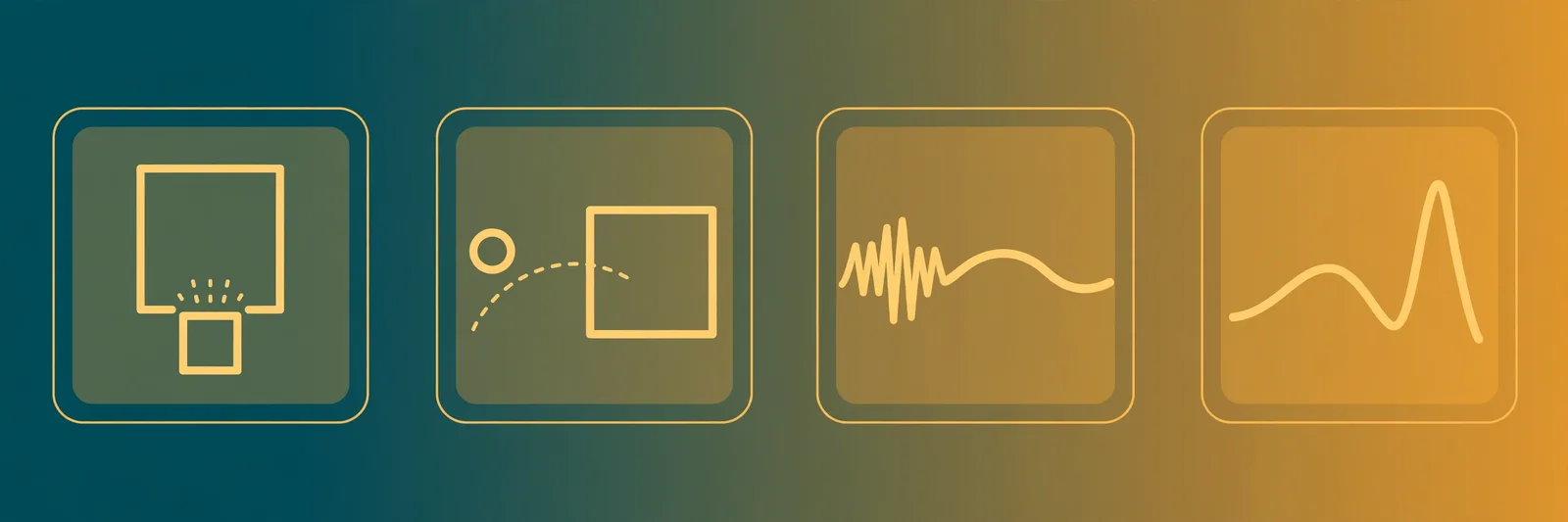
Hangul looks reassuringly phonetic, but four sound rules cause most misreadings.
Batchim, the final consonant rules. Many syllables end with a written consonant, called batchim, but only seven sounds can be heard in that position, so extra letters collapse into one of the seven. 값 (price) has a double final, but you say "gap." 부엌 (kitchen) ends in a written ㅋ, but you say "bu-eok" — the ㅋ softens to a plain ㄱ sound in final position.
Liaison, where the final consonant moves house. When a syllable ends in a consonant and the next starts with a vowel sound, that consonant jumps across and starts the next syllable. 한국어 (the Korean language) looks like "han-guk-eo" on the page, but speakers say "han-gu-geo." Tools that process one block at a time stumble here.
Nasal assimilation, where consonants turn into nasals. When ㄱ, ㄷ, or ㅂ lands before ㄴ or ㅁ, it softens into a nasal: ㄱ becomes ㅇ, ㄷ becomes ㄴ, ㅂ becomes ㅁ. 학년 (school year) is written "hak-nyeon" but pronounced "hang-nyeon." That is the rule, not sloppy speech, and a voice that skips it sounds like a spelling test.
Tensing, where the next consonant firms up. After certain final consonants, a following ㄱ, ㄷ, ㅂ, ㅅ, or ㅈ is pronounced tense, sharper and stronger. 학교 (school) is written "hak-gyo" but said "hak-kkyo." Flat tools miss it completely.
Which tools pass? The neural voices behind Edge Read Aloud and ElevenLabs handle all four reliably, because they learned from real spoken Korean, not letter rules. Literal readers mostly read what is written. Test any tool with 학교, 학년, 한국어, and 값 first.
How We Tested (Voices, Speed, Formal vs Casual Speech)
We ran the same Korean sentences through every tool: everyday statements, questions, numbers and dates, K-drama style dialogue, and a longer narration paragraph. We listened for the four traps above, for pacing, and for whether slower playback stayed clear enough to shadow.
Speech level got its own test: Korean is the national language of both North Korea and South Korea (Ethnologue, 28th edition, 2025), and a script can be formal (감사합니다, polite "thank you"), friendly polite (고마워요), or casual (고마워, for close friends). A good tool keeps the rhythm natural at every level. In the open: these are listening judgements, not lab scores, and voices and free tiers change, so trust your ears over this page.
Ready to hear your Korean text out loud? Paste it into our Korean text to speech page and pick SunHi or InJoon for a free MP3 — or open Microsoft Edge’s Read Aloud on any Korean page, or paste a sentence into TTSMaker.
Related Guides
Frequently Asked Questions
Is there a free Korean text to speech tool?
Yes. Several solid options cost nothing. Google Translate reads short Korean phrases aloud free, Microsoft Edge Read Aloud uses natural Korean voices like SunHi at no charge, and TTSMaker lets you paste Korean text and download an MP3 without an account. Limits vary, but daily practice stays free.
Can Google Translate read Korean aloud for free?
Yes. Paste Korean text into Google Translate, set the language to Korean, and tap the speaker icon to hear it read aloud for free. It handles short phrases and sentences well and needs no download. There is no MP3 export and the voice sounds flat on longer passages, so use it for quick checks.
Which Korean TTS voice sounds the most natural?
For most people, Microsoft’s Korean neural voices in Edge Read Aloud, such as SunHi, sound the most natural for free, with smooth pacing and believable intonation. ElevenLabs sounds even more expressive on long narration, but it leans paid after a small trial. Test both with the same sentence before you choose.
Does Korean text to speech work for K-drama scripts?
Yes, it works well for practice and rough voiceovers. Paste a scene, pick a natural voice, slow it down, and shadow the lines to copy rhythm and intonation. Formal and casual speech levels matter here, so check your script’s endings first. For a polished final video, a paid expressive voice usually sounds better.
Sources & References
- W3C Web Accessibility Initiative — "Audio Content & Video Content" text-to-speech guidance: www.w3.org/WAI/media/av/av-content/
- Wikipedia — Speech Synthesis & Speech Recognition: en.wikipedia.org/wiki/Speech_synthesis
- van den Oord et al. — WaveNet: A Generative Model for Raw Audio: arxiv.org/abs/1609.03499
- Shen et al. — Natural TTS Synthesis by Conditioning WaveNet on Mel Spectrogram Predictions (Tacotron 2): arxiv.org/abs/1712.05884
- Google — Neural Text-to-Speech & AI Overview documentation: cloud.google.com/text-to-speech